Don’t click here!

One of my pet peeves is the ubiquitous and obnoxious “click here” link or button. It’s usually big, bold, and in the way, cluttering up web pages and emails causing confusion and delay. “Click here” is an affront to accessible content, a cop-out to good copywriting, and a cheap marketing trick that backfires by shutting out its audience.

“Click here” is ambiguous, disorienting, and stressful

The message “click here” does not tell you anything about what will happen or where you will be taken when you execute its instructions. Sometimes you might be able to figure this out from the surrounding content, but I find that that this is often not the case.

Many times I want to quickly scan a page visually for its main themes and calls to action. My train of thought might go something like this. “Headings, images, short bulleted lists, “CLICK HERE” — Wait, what does that mean? Why should I follow it? Did I miss something? Let me go back and check…’ Just like that, I am distracted from my initial purpose and off on a tangent to who-knows-where.

This experience may be amplified for people with autism, learning disabilities, anxiety disorders, and other mental, emotional, and neurodiverse challenges. TPGi has an intriguing article on how unpredictable and overly urgent user interfaces and elements are know to elicit feelings of anxiety, powerlessness, and even panic attacks. “Click here” definitely fits this profile.

Things get even more challenging when I use a screen reader. Screen readers and other assistive technologies facilitate page exploration by providing lists of all headings, lists, images, buttons, links, and other elements on the page that can be announced to the user. When one or more of these links or buttons just says “click here,” the user has no idea of what this means and needs to investigate the surrounding content to (hopefully) figure it out. This can be a time-intensive process on a screen reader, particularly if the relevant content is not immediately adjacent to the “click here” element.
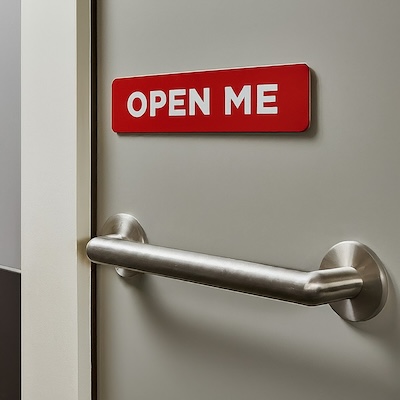
A gray door with a metal push bar and a label that reads 'Open Me'

In the physical world, we don’t label emergency exits or doors to public restrooms “Open Me” or “Enter Here.” That would be silly, and there are government regulations against doing so. Why should digital spaces be different?

“Click here” excludes people

Not everyone uses a mouse. Many people browse the web with their keyboard, their voice, screen readers, and other assistive technologies like switches, eye trackers, and sip and puff devices. Lots of us do not have the ability to “click” here.

Furthermore, over 96% of people access the internet with a mobile device according to Forbes. The concept of “clicking” is totally irrelevant on tablets, smartphones, and other devices except in the very rare case when a mouse is connected to them. Tapping is the main way of interacting with links, buttons, and other controls on handheld devices. By saying “click here,” you assume your readers are engaging with your content on a particular platform with specific tools, which most of them are not.

(I have also come across occasional instances of buttons labeled “Tap here.” This is no better.)

“Click here” is cliche and irrelevant

There are numerous overused content marketing terms like “leverage” and “synergy” that are so worn out that they no longer really mean anything. The phrase “click here” should be thrown onto this pile. Any motivational power it may have once held is long gone. It is uncreative and boring, and it shows a lack of thought and care for the message being conveyed and the intended recipient of that message.

We are smart people. After more than 30 years of the Internet, we know what links and buttons are, and we understand how to follow and activate them. Just tell us where they lead, what they do, and why we should care.

Besides frustrating users, “click here” links may also hurt a website’s search engine rankings. One of the metrics that search engines use to rank pages is link relevance, a measurement of how well two pages that connected with links relate to each other. Good link text helps search engines better understand this relationship and boosts the rankings of both pages. Vague and irrelevant link text like “click here” does not.

Write descriptive text for links and buttons

The solution to the “click here” conundrum is simple and straightforward. Write link and button text that clearly communicates the purpose of these elements. The text of the link in the previous sentence clearly indicates the subject of the content you will find at its destination page. You can see that it’s a link because of its specific styling (here underlining and a different text color), and assistive technologies can ascertain that it’s marked up as a link and process it appropriately. You don’t need to be told to “click here.”

Good link text has the following characteristics.

  • It is relevant and concise.
  • It is contextual within the surrounding copy and flows naturally within it.
  • It includes keywords that describe the target content.

For example, if I want to encourage you to sign up for the Pedal Point Solutions mailing list, I don’t give you a click here link, but an invitation that hopefully intrigues you to join our mailing list and get our free guide on high-impact accessibility wins for your website. This link text is clear about its purpose (allow users to subscribe to the list) and its destination (a list sign-up mechanism that will yield a free resource). It is keyword rich and flows with the surrounding text.
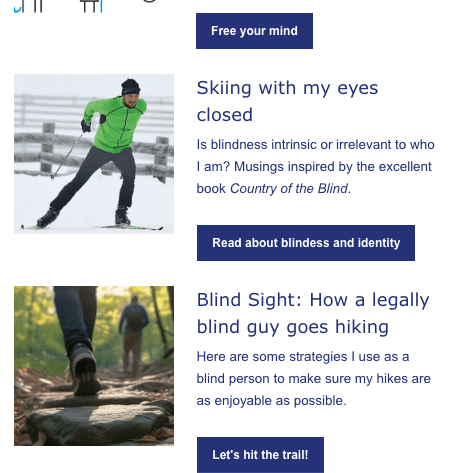
Examples of buttons with good text within an email newsletter

Well-crafted button text shares the same features, with the possible exception of flowing with the adjacent content. Typically, a button serves as a call to action at the end of a set of instructions, block of text, or form. There is a natural stopping point in the content giving the user a chance to shift focus to what should happen next. This next step should be communicated by button text that incorporates these attributes.

  • It is succinct (often even more so than link text).
  • It contains keywords that describe what the button does.
  • It is often an action verb phrase.

For instance, if I want you to read the articles linked in The Pedalpointer newsletter, I don’t say “click here” (or its cousin “read more”) to ask for this. No, I provide clear phrases that will pique your interest to free your mind, read about blindness and identity, and hit the trail.

Conclusion

“Click here” buttons and links are unhelpful, inaccessible, and banal. They cause confusion and erect barriers for our audience, and they water down our message. Let’s avoid them judiciously and instead put in the effort to create vibrant calls to action that resonate with those we want to reach.

Share This

Blind Sight: How to practice piano when you can’t see sheet music

Recently, I talked with a piano teacher who gives online lessons. She is seeing an increase in the number of blind students who want to learn piano, and she wants to be as effective as possible in helping them learn to play with their limited or nonexistent vision. This teacher is sighted, and she was curious about what helped me learn piano as a visually impaired student. We had a great conversation that yielded significant insights for both of us.

In the weeks since our discussion, I have continued to think about the strategies that enabled me to become proficient on the piano. My low vision makes it so that I have to lean over the keyboard to read sheet music, and this was not sustainable as the music I practiced got more advanced and the notes got smaller to make room for the added complexity. I want to offer some of my compensation methods, thoughts, and experiences here in hopes that other piano teachers and students (whether blind or sighted) may find them useful.

My journey at the piano

It might be beneficial to begin with a quick overview of my musical story. I started taking piano lessons when I was five years old and continued with these through college with a brief interruption during my rebellious early teen years. Along with my computer science degree, I earned a minor in music that included several more courses than necessary. Throughout my youth I played in recitals, talent shows, church services, and even a fashion show.

As an adult, I have served as both a volunteer and staff music director and worship leader in several churches and provided music from the piano for weddings, funerals, and many many Sunday mornings. I have had the chance to create multiple albums of original piano-driven music which are available on Apple Music and Spotify. During the early days of the pandemic, my wife and I hosted a Facebook group to connect with friends and family where I offered contemplative hymn improvisations to help ease our collective anxiety.

Currently, I get to participate in and help lead my church’s worship team. I have found a strong connection between music, spirituality, and faith, and this has proven a great help in facing and embracing my own blindness.

With that context in mind, here are some techniques which have helped me grow and thrive as a blind pianist.

Memorizing music

Even though I cannot see the symbols on sheet music when sitting at my piano bench, I still have to read and learn them. Picking up the music and holding it close to my face enables me to examine short passages, phrases, and chords. I will look over a few measures this way, put the music down, and practice them from memory, repeating this process as necessary until they are engrained into my brain and fingers. Then I will move on to the next phrase, approaching it with the same method until finally I have covered the entire piece.

Invariably, there are spots in a song that need extra work. Sometimes having the music memorized is useful, as long as I have the correct notes, dynamics, and articulation locked into my head. When practicing these rougher sections, it’s helpful to look closely at the music again to make sure my memory is accurate. This can be a tedious process, and I have great admiration for pianists who can sightread a new piece in its entirety on a single run-through.

I remember learning the first movement of Beethoven’s Sonata Pathetique in C Minor this way when I was 16. It was an arduous process that took several months, particularly because had never actually heard the piece before and didn’t know what it was "supposed" to sound like. I performed it at my small town high school’s winter carnival celebration, and was pretty pleased with myself. It wasn’t until years later when I listened to a professional recording of the sonata that I realized how much I had clumsily hacked and stomped my way through the beloved masterpiece. I realized that although rote memorization helped me learn the basic mechanics and structure of a song, it did not give me the understanding of nuance and finesse required to master a complex piece of music.

Playing by ear and improvisation

These are really two separate skills, but I am combining them here because I learned them together.

Growing up my best friend’s dad was a DJ at the local radio station, and he would bring home records of Top 40 shows that we listened to. When I heard a song that stuck with me, I would go home and try to plunk it out from memory. After a while, I got pretty good at reproducing the melody and basic chord progressions, even if the screaming guitars in most 80’s power ballads didn’t translate directly to ebony and ivory.

This actually proved to be a good thing, as I would try to fill in the sonic gaps with complementary chords and lines specific to the piano. Pretty soon I was reharmonizing and extending songs with my own material.

I also loved the video games on my Nintendo Entertainment System and found their musical soundtracks addictive. I would listen to and learn the best of these, adding flourishes and variations. In this way, I came to love this form of improvising so much that it distracted me from the music I was supposed to practice for my lessons.

It got to the point where I felt so bored and bogged down with the scales and technique exercises my piano teacher assigned that I quit. I tried to assuage the disappointment on her face and the guilt in my heart by showing her my amazing rendition of the theme from the final level of Kid Icarus, she seemed unimpressed. But I was unencumbered and free to pursue my boisterous and daring musical embellishments, even if they were horribly undisciplined.

One of my most valuable ear training experiences was playing piano at my church. My family was part a lively congregation where the people clapped, raised their hands, and danced to spontaneous and passionate old-timey gospel choruses. Our church band didn’t rehearse for Sunday morning services. As church began, the song leader would launch into an unknown set of songs in an indeterminate key, and we instrumentalists would have to follow along as best we could, finding matching chords and rhythms.

The piano and church organ were next to each other, and the organist knew all the songs and was really quick to locate the right chords and harmonies to support the changing vocal melody. As the weeks and months went by, I started to recognize common themes, recurring chord progressions, riffs, and dynamic distinctions in the church’s musical repertoire. Over time, I learned to rapidly lock into a song’s key, meter, and rhythm, anticipate harmonic changes, and add colorful ornamentations to them.

This fly-by-the-seat approach to music was exhilarating. I grew to love the adventure of these unpredictable Sunday morning song sets. Yet at the same time, part of me longed for a bit more planning and structure that I could preview and practice beforehand.

Putting it together

Eventually, I realized that I could learn music faster if I combined the techniques of memorization, playing by ear, and improvisation. Committing sheet music to memory provided the foundation of a song, hearing it helped me understand its feel, and improvising it made me confident in my ability to reproduce and at make it my own.

I got ahold of sheet music to hits like Right Here Waiting by Richard Marx and Michael W. Smith’s Place in this World. They didn’t win me any girls, but boy did I learn them fast. Discovering the power of combining these multiple "alternate" learning methods was key to my success at the piano.

These are just the first of several strategies that have helped me to become a proficient piano player who just happens to be blind. I plan to share more of them in the near future and explore how I put them together for some amazing growth. I am optimistic that others who can’t see sheet music might put them to good use.

More Blind Sight articles

White silhouettes of a man and a woman dance beneath the Disability Pride flag. The man is holding a red-tipped cane in one of his hands. Blind Sight: The Pride Behind the Pride, a Thank-You to Those Who Dance with Us July is Disability Pride Month—a time to honor the experiences, rights, and dignity of people with disabilities. This month, many of us assert our identities, share our stories, and push for change in a world not yet built with us in mind. But today, I want to use this moment to shine a light in a different direction.
Cars zoom through a busy intersection with a brightly painted crosswalk and overhanging set of stoplights Blind Sight: Why did the blind guy cross the road? I am legally blind, and I live near a busy intersection near Boston. I don't typically use a cane to get around familiar places, but this intersection is still challenging when drivers don't observe the walk signals. I wondered if anything might change if I used my cane. Here's what happened.
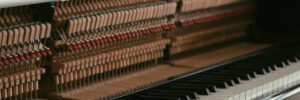
The hammers beneath an upright piano cover above the instrument's keys Blind Sight: More on how a blind guy learns to play piano Additional thoughts on how blind people can become proficient at playing the piano.

Share This

Blind inventions shape your world. You’re using them right now.

Blind people and their advocates are incredibly resourceful, and their creations have profound impact on the entire world. There are so many mainstream technologies that have been pioneered and advanced by blindness–audiobooks, ebooks, video tech support–and the list goes on.

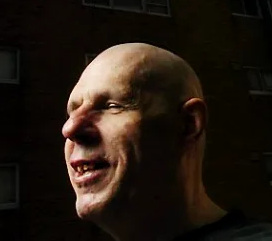
Headshot of Joe Engressia, a.k.a. Joybubbles, from 2005

Stories abound of how niche technologies developed for and by blind people keep changing the world for the better. For instance, in his book The Country of the Blind Andrew Leland tells the fantastic and colorful tale of Joe Engressia (who legally changed his name to Joybubbles, a blind hacker at the center of the phone phreaking phenomenon who figured out how to make free long-distance phone calls by whistling a high E note. Steve Jobs once said that without the work of phone phreaks like Joybubbles, there would have been no Apple.

In fact, you are likely using several technologies developed with and for blind people right now.

Blind types hold the keys to innovation.

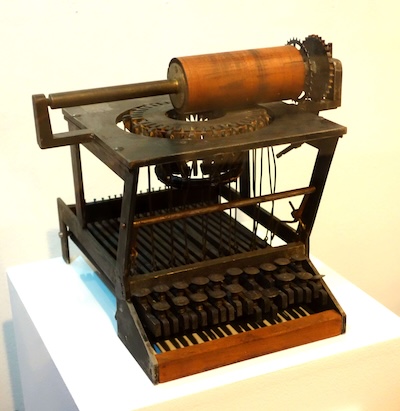
A replica of the Sholes and Glidden typewriter prototype, created in 1870, from the Wisconsin Historical Museum

In 1808, Italian inventor Pellegrino Turri created a device to help his blind friend, Countess Carolina Fantoni da Fivizzano, to write letters independently. Historians generally view this mechanical apparatus as the first typewriter. Later that century, American inventors and printers refined the machine into the basic form we recognize today with its carriage return and QWERTY keyboard. Over time, these evolved into the clickity-clackity 60-words-per-minute contraptions used in my high school typing class.

As the years progressed, electric typewriters arrived on the scene, then morphed into word processors. With the advent of the personal computer, the typewriter keyboard was adapted into the ubiquitous input device it is today. Through all these advances, the keyboard linked to your device, be it a desktop computer, laptop, or digitally-rendered replica on your phone screen, retains its connections to the past. The same inefficient letter layout and the familiar key press sounds endure. Terms like carriage return (a.k.a. the Enter key) are still with us, even though there is really no such thing on our gadgets. And the original purpose of helping blind people, and almost everyone else, to write letters (now often referred to as “social media posts”) is still intact.

A picture is worth a thousand words, literally

Optical character recognition (OCR) is the conversion of printed or handwritten text into machine-readable codes that can be manipulated just like the letters and words we type on our computer keyboards, OCR can encode text from scanned pieces of paper or electronic documents and images.

Ray Kurzweil is often credited with inventing OCR when his company built a machine to read printed text out loud to blind people. This device included a flatbed scanner and a text-to-speech synthesizer. Today, OCR technology is commonly included in computers, smartphones, and software, allowing us to do things like scan documents and extract the text from the digital copies.

Many programs can read text embedded in images like this one so it can be copied and pasted into a separate document. Try opening this image in your device’s photo viewer app to see if it has this ability.

Note that it’s best to keep text out of images whenever possible for people who cannot see the image and don’t have the tech to read its contents to them. Even so, chances are that the device you are using or some program installed on it has this capability.

“Alexa, where did speech recognition technology come from?”

in 1961, IBM unveiled Shoebox, a machine that could solve simple mathematical equations spoken to it by a person. The company continued to innovate in this space, and in 1980 released a talking typewriter that enabled blind and visually impaired people to dictate common words and phrases to be typed onto a page. This is just one example of how voice recognition technology found its first widespread area of application, helping people with physical disabilities (including blindness) interface with computers without a keyboard or mouse.

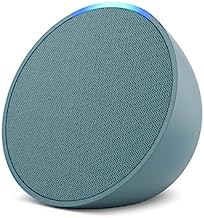
A turquoise Amazon Pop smart speaker

Today, voice recognition technology is nearly universal. The 2022 Smart Audio Report released by NPR and Edison Research stated that 35% of American adults owned a smart speaker and 62% use a voice assistant on devices like smartphones, TV remotes, in-car systems, and laptops. The report also showed that usage of voice controlled technology is increasing, with daily listening time and tasks completed on the rise. It’s very likely that there is a voice assistant on the device on which you are reading this article, and there’s a good chance you use it regularly or will take advantage of it in the near future.

Conclusion

It is clear that blindness and disability are powerful drivers of technological innovation and adoption. This remarkable influence makes me excited and hopeful about the future of digital accessibility, This field is at the confluence of the streams of technology and disability, and it is exhilarating to imagine how the tools we create might improve not only the lives of blind people, but the whole world too.

How many technologies that have their roots in disability have you used today?

Articles in this series

A waveform of the visible light spectrum from violet to red atop a black background Do I see too well to be blind? I often feel too sighted to be blind, but too blind to function fully and freely in a sighted world. Andrew Leland helps me articulate and make sense of this in his book "The Country of the Blind."
Two sets of hands pulling in opposite directions on a taut rope as if playing tug-of-war Skiing with my eyes closed: Is blindness intrinsic or irrelevant to who I am? I wrestle with the paradoxes inherent in blindness and their impact on my identity. How can I hold the ambiguity and opposing forces related to my vision in tension with each other?
An array of lit lightbulbs arranged in three rows with the bulb in the center shining brightest Blind inventions shape your world. You’re using them right now. Blind people and their advocates are incredibly resourceful, and their creations have profound impact on the entire world. In fact, you are likely using several technologies developed with and for blind people right now.

Share This

Disability is part of everyone’s story, and that’s a good thing

I think it’s time for a shift in mindset.

The Merriam-Webster dictionary defines “disability” as “a physical, mental, cognitive, or developmental condition that impairs, interferes with, or limits a person’s ability to engage in certain tasks or actions or participate in typical daily activities and interactions.” Unless we live with one of these impairments in ourselves or those closest to us, it is tempting to see disability as peripheral to our lives.

But is that really the case?

Understanding the scope of disability

Here are some interesting statistics.

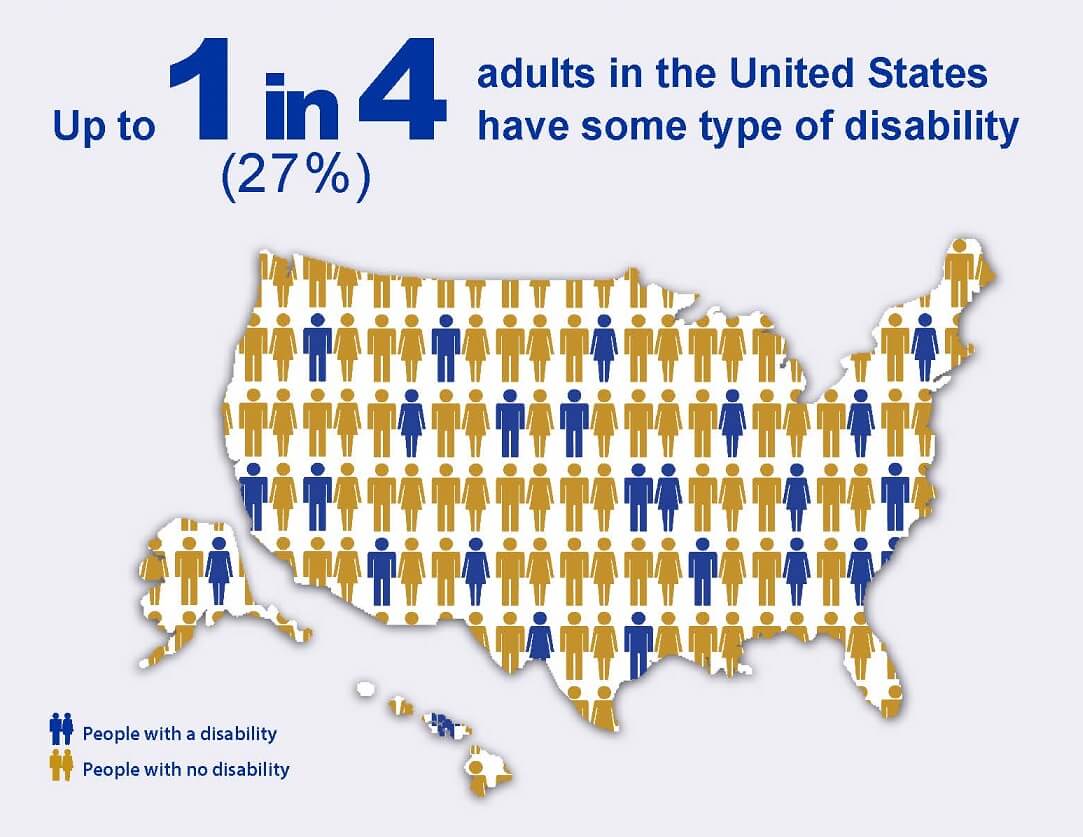
Up to 1 in 4 (27%) of adults in the United States have some type of disability

This almost certainly means that every one of us or someone we love experiences a significant disability, whether we are aware of it or not.

Expanding our definition of disability

Disability is not limited to blindness, deafness, and other permanent or semi-permanent conditions that may come to mind when we hear the term. The Microsoft Inclusive Design initiative published an infographic that depicts different levels of disability and their impacts on our senses. Here is one variation of this diagram.

A diagram of various stick figured people depicting examples of permanent, temporary, and situational disability for the senses of touch, sight, hearing, and speech

Here is the data from the graphic in tabular form in case you cannot see the image.

Levels of disability
Sense Permanent Temporary Situational
Touch One arm Arm injury New parent holding an infant in one arm
Hear Deaf Ear infection Bartender listening in an noisy room
See Blind Cataract Distracted driver looking out the side window
Speak Non-verbal Laryngitis Speaking with a heavy accent

The point is that even if we do not live with a permanent disability, each of us has most likely experienced a temporary disability due to illness or injury. We also navigate situational disabilities every day. Maybe you are dealing with one right now (i.e. if you are reading this article in bright sunlight).

Dispelling the stigma of disability

The word “disabled” often carries a negative connotation. It can evoke feelings of awkwardness, pity, and otherness. This is unfair to people experiencing disability and detrimental to society as a whole. In addition, it’s also a fundamental misunderstanding of the term itself.

Disability advocate Lawrence Carter-Long explored the linguistic origins of the word “disabled” in a popular Facebook post.

In its most literal sense, the prefix “dis” is not a synonym for “un” or “in” as is commonly and mistakenly assumed. It is much broader, bolder and more robust than that. So, you might ask, what does “dis” mean? In classical Latin, the primary meaning of the prefix “dis” translates to “two ways, in twain,” according to the Oxford English Dictionary. Twain literally means “in different directions, apart, asunder.” Use of the prefix in this way has given us perfectly good words like “discern,” “discuss,” “dismiss,” “dissent” and “distill.”

Carter-Long asserts that when understood in this context, there’s nothing negative about being “disabled.” In fact, it reframes disability as an opportunity for creativity, on-the-fly innovation, and unique positive expression. “The occurrence of disability, by design, opens up space for discovery, discernment and disruption.”

Every one of us experiences this truth whenever we walk on a curb-cut, put on a pair of glasses, listen to an audiobook, or use a computer keyboard. These are technologies invented by and for disabled people. We all experience ability “in different directions,” and this is beneficial for everybody.

Conclusion

Let’s free ourselves from faulty, insular, and prejudiced views of disability. “Disability is part of being human and is integral to the human experience.”. It is normal. Disability is about you and me. It is part of each one of our stories, and that is a profoundly good thing.

What role does disability play in your life?

Share This

The best of axe-con 2024

axe-con is the annual, virtual, free, digital accessibility conference presented by Deque Systems. This was my fourth year attending the event, and as usual, it did not disappoint. Here’s a rundown of some of my favorite sessions from axe-con 2024.

Each heading below links to the Youtube video for its corresponding session. At the time of this writing, axe-con 2024 session videos are not linked from Deque’s Youtube page. To watch other session videos from the conference, you can register for an axe-con account, view the conference agenda, and follow the links in the schedule to the session videos you want to view.

Neuroinclusive Content Design with Laurie Cameron-Back

15-20% of people in the United States have some form neurodiversity. It’s a very good idea to ensure that a website’s content is accessible to this large portion of the population. Short paragraphs, short sentences, and aiming for a reading age of 9-15 (which is not the same as a person’s actual age) are just a few of the numerous best practices to keep in mind when writing content. I especially enjoyed these recommendations.

  • Avoid “naked links.” Don’t paste a bare URL like https://www.google.com/search?q=descriptive+link+text into your copy. It’s hard to read, particularly for assistive technology users. Instead, use descriptive link text to communicate the purpose and destination of each link.
  • Extensive FAQs may indicate copy that isn’t descriptive enough. Structured how-to guides might be a better approach.
  • Use sentence case for web page titles and headings. It takes more time and energy to read Headings in Title Case, and Proper Nouns can easily get lost in the mix. Sentence case translates into other languages more easily and has a friendly demeanor when compared to the Formal Authority of Title Case. Reserve title case for titles of books, movies, etc. for which it is intended.

Favorite quote: “PDFs are a hangover from print days” as they focus more on layout than content. Write your content in accessible HTML instead.

Using the WebAIM Million and User Surveys to Inform Accessibility Efforts with Jared Smith

The 2023 WebAim Million Report found that 96.3% of homepages of the top one million websites have an average of 50 accessibility errors that can be automatically detected. Clearly, there’s a lot of work to be done. The vast majority of these errors are due to only six accessibility issues.

Top accessibility errors on 2023 WebAIM Million homepages
Issue Percentage of homepages WCAG success criterion
Low contrast text 83.6% 1.4.3: Contrast (Minimum)
Missing alternative text 58.2% 1.1.1: Non-text Content
Empty links 50.1% 2.4.9: Link Purpose (Link Only)
Missing form input labels 45.9% 3.3.2: Labels or Instructions
Empty buttons 27.5% 4.1.2: Name, Role, Value
Missing document language 18.5% 3.1.1: Language of Page

Favorite quote: “Addressing only these few types of issues would significantly improve accessibility across the web.”

The Folly of Chasing Demographics with Heydon Pickering

This cheeky talk from the creator of the popular Webbed Briefs videos focuses on how ineffective it is to make assumptions about which users prefer what tools and experiences. Key points include:

  • Design for the tools and not for the person you think will use it. You don’t know who this will be.
  • Accessibility is about achieving parity and not popularity. A design can be equally bad for everyone.
  • Do less in general, because most of what you do won’t work. Not everything needs to be accessible, some things shouldn’t exist at all.

Favorite quote: “screen reader user !== blind user and ‘blind’ can mean a host of different things anyway (it’s just a shorthand).”

How to Build an Accessibility Program and Culture panel discussion

Gurpreet Kaur, vice president of accessibility at Mastercard, and Mike Shebanek, head of accessibility atMeta (and the inventor of the VoiceOver screen reader) discuss how essential it is to understand and align with an organization’s culture when building an accessibility program. There are some great stories here, such as the tale of making Yahoo Mail accessible, which illustrates one of the key takeaways of this session; find one use case where you can integrate accessibility really well and use that as an example to gain traction for a new program.

Favorite quote: “Culture eats strategy for breakfast.”

Helping Debunk Disability Stigma with Squirmy and Grubs

Hannah Aylward and Shane Burcaw (a.k.a. Squirmy and Grubs) smile as they sit together in front of a house

Shane Burcaw and Hannah Aylward are a married couple who run the Squirmy and Grubs YouTube channel, which features an unfiltered look at their interabled relationship. Shane having spinal muscular atrophy, and the pair have become popular disability advocates.

In this talk, Hannah and Shane share how our personal stories can help combat ableism and fuel advocacy efforts. Their anecdotes are at once funny, infuriating, enlightening, and full of hope.

Favorite quote: (Shane’s reply to a woman who laid hands on him in a diner, “scream praying” for God to fix this boy and make him happy during one of his first outings with Hannah.) “Oh, no thank you. I have a very happy life. In fact, look who I’m on a date with.”

Did you attend axe-con 2024? What were your favorite sessions?

Share This

Blind Sight: How a legally blind guy goes hiking

This post is part of a series in which I explores some of the ways I am working to embrace my blindness and integrate it into my identity. I am finding it helpful to unpack and articulate different aspects of my vision disability and how it shapes the way I interact with the world around me. I’m hoping this exercise will help clarify my thinking as well as build understanding and empathy with members of the blind and visually impaired community.

I have always loved walking in the woods. There’s nothing like taking to a secluded trail to escape the bustle and stress of our frantic world. The fresh air in my lungs, birdsong in my ear, and swishing leaves beneath my feet can work wonders for my anxious soul. Like many people, I find clarity, peace, and communion with God in nature.

I am grateful for the many opportunities afforded to me to explore the great outdoors. Growing up in northern Maine, my family enjoyed hiking trails in Baxter State Park. At the beginning of college, I was part of a 12-day wilderness adventure in the Adirondack Mountains. These days, my expeditions are shorter and tamer, consisting mostly of brisk walks with our dog on local trails and wilderness reservations.

Recently, I wrote about navigating stairs as a person with low vision. In this space, I would like to consider how my limited vision impacts how I go hiking and the mechanisms I use to compensate for my lack of sight.

Finding my way on the trail

A swath of trees reflects in brilliant reds and oranges off he surface of Coy Pond in Wenham, Massachusetts in the autumn sun

Coy Pond at Gordon College in Wenham, MA

When I was in college, I would sometimes get lost wandering the criss-crossing paths adjacent to the school. This was unsettling the first few times it happened, but soon I figured out some reliable ways to help me retrace my steps back to campus. I have continued to use these techniques in my woodland treks ever since.

  • Taking note of visual landmarks: A knotted tree, a pointed boulder, a part of the trail that wraps around a pond — markers like these help me get my bearings as long as I am careful to notice and commit them to memory. I tend to get lost in thought during long solo walks. When this happens, I stop paying attention to my vision beyond what is necessary to stay on my current path. More than a few times, this has led to Wrong turns, dead ends, and almost bumping into unexpected obstacles (or people). Waking from my reveries can be disorienting and annoying. I often feel stupid for not paying attention to where I was going. These feelings diminish when I can recall the landmarks that can guide me home.
  • Underbrush marking trail boundaries: When hiking in the forest, I sometimes see false paths leading off into the trees, beckoning me to follow. This is especially likely when I’m looking for a turn onto another trail and feeling nervous that I might have missed it. When I venture onto one of these “mirage trails,” I will typically realize my error when the underbrush gets thicker which makes forward progress more challenging. I can then do an about-face and return to the actual trail.
  • Others often know the way: When another person or party approaches or passes by, they often help to keep or get me back on track. Sometimes I’ll ask for directions, but if I’m off in my own daydreamy world, I will usually follow at a distance. Either way, I really appreciate the assistance.

Ascending the hill

A grove of saguaro cacti on the sheer face of Camelback Mountain overlooking suburban Phoenix, Arizona

View from the side of Camelback Mountain in Phoenix, AZ

Several years ago, I took one of my children to Phoenix, Arizona. One of the highlights of our trip was climbing Camelback Mountain just outside of the city center. Although Camelback’s summit is not too high, it’s a steep scramble up the barren face past outcropping boulders, scraggly trees, and beautiful saguaro cacti. While my kid scampered up the trail in front of me, my chubby middle-aged body struggled and huffed trying to keep pace. I had to stop multiple times, not only to catch my breath, but also to refocus my eyesight, which I’m prone to ignore during intense physical exertion.

Hiking uphill is much easier for me than going down. There’s not as much depth perception required, but I still need to pay close attention to each step to maintain my balance and avoid tripping. There are a few strategies I’ve developed over the years to help with this.

  • Stepping high: When climbing up or over obstacles, I will often lift my foot higher than is necessary to reach the next level or clear the hurdle. This is because I can’t completely trust my eyes to correctly gauge the distance of my next stride. I’ve stumbled and fallen far too many times to leave this to my limited sight. I may look like I’m marching up the hill, but in reality, I’m working to assure solid footing and keep from stubbing my toes.
  • Looking for flat surfaces: Working out my next step is always a point of intense focus when I traverse uneven terrain. Even though I can usually perceive slopes and distances as they rise up in front of me, assuring my footing is sure takes unwavering diligence. I need to find the flattest surface that my outstretched foot can reach and will fit on. This means that I am usually looking down at the ground ahead of me as opposed to the views around me as I climb.
  • No walking stick: It may seem like a walking stick would help me keep my balance and gauge distances, but I have found the opposite to be true. I actually find a walking stick to be cumbersome and distracting. I need to keep my focus on forging the best way ahead, but a stick demands some of that attention to move it through tight spaces and prevent it from bumping into things. Trying to measure distance with a stick is also frustrating, as my limited depth perception makes it hard to tell how far it is between the end of the stick and the next step. It’s like having to manage a rigid third leg that doesn’t bend, and it just slows me down.
  • Keeping my eyes turned on: Active and steady seeing takes sustained concentration. As I mentioned, I have a propensity to “shut off” my vision when I’m under significant mental or physical strain. Since climbing mountains entails both of these, I often find it necessary to slow down or stop to reawaken my eyes. Despite my coping mechanisms, my limited vision remains very important for this activity.

Going down, down, down

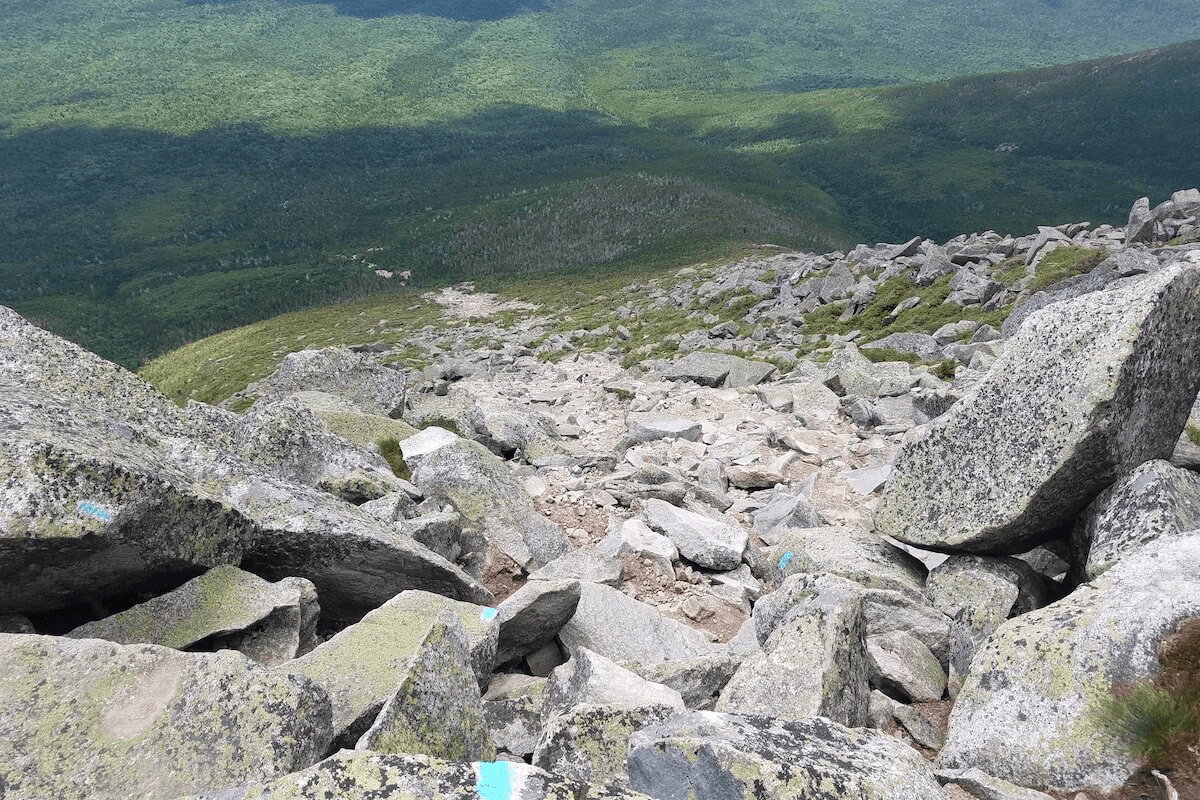
View from the top of Abol trail on the bare side of Mount Katahdin; the forest at the bottom of the mountain is plainly visible a mile below at the base of the steep boulder-strewn trail

View from the top of Abol Trail on Mount Katahdin

One sunny summer day, my dad took my three younger siblings and me to climb Mount Katahdin, the northernmost point of the Appalachian Trail and the highest peak in Maine. This wasn’t my first time scaling Katahdin, but it turned out to be the most memorable one because of the trail we took to come down the mile-high mountain. My father chose to lead us straight down Abol Trail, the steepest and most direct route to the bottom. And I do mean straight down. Abol was formed by a rockslide ages ago, and its sheer boulder-strewn face is austere and unrelenting. You can see the trees at the foot of the trail from the top.

Landslides and instability prompted the closure of the original Abol Trail in 2016 in favor of a slightly longer more forgiving, though still arduous, route. But my family’s hike took place at the dawn of the nineties, so we descended the old trail.

If climbing up is challenging with little depth perception, how can a blind guy manage the trip down such a steep incline?

  • Follow the feet of the person in front of you: This is the strategy I rely on most when going down uneven surfaces, whether they are shallow or near-vertical. If the descent is steep, I will ask someone to walk in front of me and stay close enough to me that I can watch their feet and mimic their steps. There’s no substitute for this moving blueprint when I can’t gauge how far down the next rock is from my current position.
  • Keep my hands free: As I mentioned, I don’t like using a walking stick. On the contrary, I prefer to have both of my hands available to grab ahold of rocks and branches to steady myself, slow me down, and keep me from falling.
  • Balancing with a backpack: Carrying a pack requires that I adjust my balance to account for the weight of its contents. This is fairly manageable when climbing upward because I am generally leaning forward slightly with my knees bent (to facilitate my high-stepping) during an ascent. It’s a different story going downhill when I need to shift my weight and posture frequently to resist gravity’s accelerating pull while weaving through obstacles. The backpack adds another variable with its contents shuffling and sliding around as I squat, bend, and hop my way down. The good news is that a backpack is usually lighter climbing down a mountain because a good deal of its supplies have already been used on the trip up.
  • Feeling my way down: Sometimes I just need to reach ahead with my foot until it touches the next level surface. I prefer to stay standing while doing this, but if the drop is more than a couple feet, I may have to kneel or sit down to reach the landing below.
  • Stopping to rest and relax: I spend a great deal of physical, mental, and emotional energy to maintain visual focus on feet, rocks, branches while making my way down. This is tiring and frustrating, particularly when I misstep, trip, or scrape my knee. I have to remember to stop, breathe, and recenter on a regular basis.

Despite the challenges inherent to low-vision hiking, it remains one of my favorite activities. The capacity to explore the world independently is incredibly freeing and fulfilling to someone with a disability. I hope to continue enjoying this freedom for many years to come.

Did you find this exposition interesting or helpful? Do you have a question about how people with vision disabilities navigate and interact with the world?

More Blind Sight articles

A set of stairs with textured horizontal surfaces and bright yellow lines on their edges Blind Sight: How a guy with low vision navigates stairs Navigating stairs with minimal depth perception can be complicated, but employing creative and sometimes non-visual coping strategies and context clues can be a big help.
Closeup view from the bottom end of a piano keyboard in sepia tone Blind Sight: How to practice piano when you can’t see sheet music How do blind people learn to play piano? Here are some reflections on a few of the methods I have used to thrive as a pianist with low vision.
The hammers beneath an upright piano cover above the instrument's keys Blind Sight: More on how a blind guy learns to play piano Additional thoughts on how blind people can become proficient at playing the piano.
Cars zoom through a busy intersection with a brightly painted crosswalk and overhanging set of stoplights Blind Sight: Why did the blind guy cross the road? I am legally blind, and I live near a busy intersection near Boston. I don't typically use a cane to get around familiar places, but this intersection is still challenging when drivers don't observe the walk signals. I wondered if anything might change if I used my cane. Here's what happened.
White silhouettes of a man and a woman dance beneath the Disability Pride flag. The man is holding a red-tipped cane in one of his hands. Blind Sight: The Pride Behind the Pride, a Thank-You to Those Who Dance with Us July is Disability Pride Month—a time to honor the experiences, rights, and dignity of people with disabilities. This month, many of us assert our identities, share our stories, and push for change in a world not yet built with us in mind. But today, I want to use this moment to shine a light in a different direction.

Share This

Skiing with my eyes closed: Is blindness intrinsic or irrelevant to who I am?

In a recent post, I wrote about how The Country of the Blind by Andrew Leland is helping me wrestle with and articulate my blindness and how it shapes who I am. Watch the author’s own introduction to the book in the following video.

In this article, I want to explore the paradoxes of blindness, a theme that runs deep through Leland’s book. I have already asserted that blindness is not a fixed point but a spectrum, which can lead to conflicting questions like “Am I too sighted to be blind and too blind to be sighted?” This is a paradox I have struggled with because I feel like I move back and forth on the blindness spectrum from day to day. The leaves on a tree can look wonderfully distinct and individual on a sunny afternoon in high summer, whereas the “Don’t Walk” signs near my house can become almost imperceptible on in the murky winter dusk when I’m feeling down. So am I too blind or too sighted? It depends.

Is blindness a medical or social problem?

Another paradox in blindness, and with disability in general, stems from the different models that are used to define and classify disability. Among the most prominent of these are the medical and social models. The former views disability as a shortcoming within a person to be corrected or cured. The latter asserts that disability is a function of social barriers that prevent people with impairments from participating freely and fully in society.

The clash between these two perspectives has been fierce and frequent. Disability advocates insist that reducing a person’s blindness to a medical issue leads to discrimination. Yet scientific research and breakthroughs in technology and medicine make it more and more feasible for blind and visually impaired people to live “normal” lives” in a sighted world.

These positions may seem to stand in stark opposition to each other, “but the lived reality of blindness…exists somewhere between these two extremes,” says Leland. Culture, heredity, heritage, and physiology are interconnected. Leland continues,

Disability scholars are now pushing past the medical-social binary and toward–as the critic Jonathan Sterne helpfully puts it–“a conception of biology as having historical dimensions, and history as having biological dimensions.”

I agree with Leland’s “both/and” stance. My life is in part shaped by my blindness, and I have benefited greatly from optometrists and low vision specialists. I use a screen reader every day. Even so, I hold that our companies, communities, and countries have a very real and pressing responsibility to make the physical and digital spaces of our world accessible to everybody. This is one of the driving forces behind my work in web accessibility.

Is blindness incidental or central to one’s identity?

A further paradox is the seemingly opposing viewpoints that advocacy groups take on how blindness and disability should be addressed. On one hand, blindness can be seen as an incidental characteristic having no bearing on one’s status or opportunity. On the other, blindness is a very real condition demanding recognition and accommodation. Leland describes a potent example of the clashes between these ideologies.

When the ADA [Americans with Disabilities Act] was being drafted in 1989, the NFB [National Federation of the Blind] came out against the bill. “So-called accommodations may often themselves be discriminatory,” Kenneth Jernigan, the former NFB president of nearly twenty years wrote in the Braille Monitor six months before the bill passed.

This leaves me to wonder, along with Leland, how being blind can be at once incidental and central to one’s identity. Leland aspires to the answer put forth by the late bioethicist and disability studies pioneer Dr. Adrienne Asch, “that everyone ought to ignore blindness, including the blind themselves, until the prejudice and discrimination of the sighted world forces us to pay attention to it again.”

This is a worthy pursuit, but my lived experience seems much more pragmatic and mundane. Again, my answer is, “It depends.” I want to assert and live into my independence, and yet I need to ask for and receive help, sometimes at the same time. I am learning to see this not as failure, but authenticity.

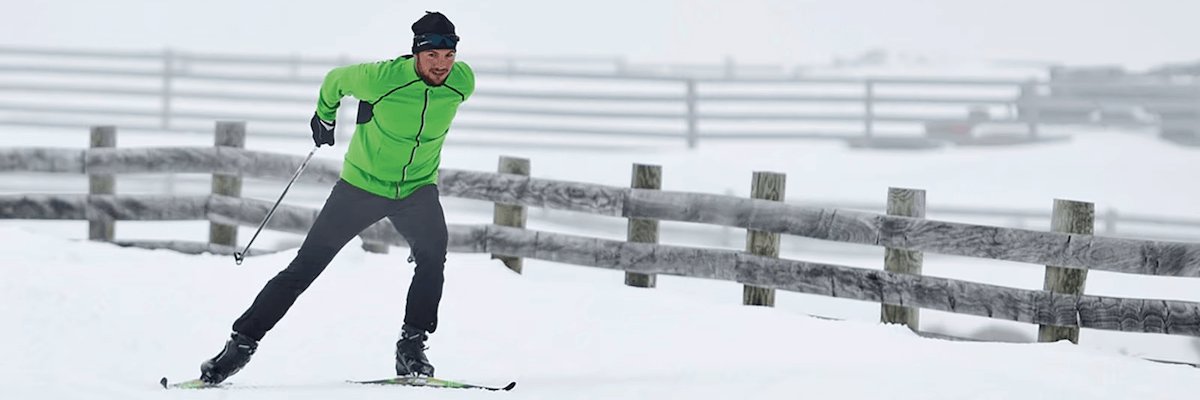
A man skate skiing through falling snow in front of a fence pushes of his right leg and ski to propel himself forward

I was a member of my high school cross-country ski team, which raced using the skating style of skiing. This is hard work on its own, and the balancing issues that accompany my nystagmus made it even more challenging. Even so, I loved it once my mind and body figured out the rhythm and motions. It was exhilarating to zoom through the woods over hard-packed snow on a sunny Saturday midwinter morning. Sure, the glare of the sun and my darting visual focus made it tricky to stay upright on tight turns. Sure, I smashed face-first into a tree or two like George of the Tundra…er Jungle. But my coach encouraged me to get up and keep going, and my mom and dad cheered me on despite taking flack from other kids’ parents about letting their handicapped son engage in such a dangerous activity. I am so grateful for their unwavering support.

Sometimes  I would close my eyes for several seconds while gliding down a long straightaway. Ironically, “shutting off” my eyes like this helped me recenter. It was easy to relax my body and calm my nerves as I zoomed through the darkness, listening to the wind whistling by and the swoosh of snow beneath my skis as the sun and the breeze warmed and cooled my face at the same time. The peace o these moments was so wonderful and free.

Looking back, this is what it feels like for me to simultaneously embrace my blindness while refusing to let it define me. Holding these paradoxes in tension takes a whole lot of sustained mental and emotional effort, but I am finding strength and agency in stepping back from these jostling forces, knowing that I have solid influence on how I relate and respond to each of them.

Articles in this series

A waveform of the visible light spectrum from violet to red atop a black background Do I see too well to be blind? I often feel too sighted to be blind, but too blind to function fully and freely in a sighted world. Andrew Leland helps me articulate and make sense of this in his book "The Country of the Blind."
Two sets of hands pulling in opposite directions on a taut rope as if playing tug-of-war Skiing with my eyes closed: Is blindness intrinsic or irrelevant to who I am? I wrestle with the paradoxes inherent in blindness and their impact on my identity. How can I hold the ambiguity and opposing forces related to my vision in tension with each other?
An array of lit lightbulbs arranged in three rows with the bulb in the center shining brightest Blind inventions shape your world. You’re using them right now. Blind people and their advocates are incredibly resourceful, and their creations have profound impact on the entire world. In fact, you are likely using several technologies developed with and for blind people right now.

Share This

How to find time to write accessible web content

Clients have expressed to me that one of their biggest struggles with accessibility is finding the time to do it. Amidst all the responsibilities filling our busy days, it can seem daunting to add something else to the pile.

I get that, and the truth is that web accessibility takes extra time, energy, and resources. There are a lot of considerations that go into creating an accessible website — captions, colors, focus management, fonts, forms, headings, images, landmarks, inks and lists, motion, navigation, spacing, styling, transcripts, text equivalents — and the list goes on and on. This is doubly the case when accessibility needs to be retrofitted after a website is already live. Fixing accessibility barriers on a production website is especially expensive and time consuming.

However, there is good news. Even though upfront and after-the-fact costs of accessibility are significant, the ongoing effort of integrating accessibility into daily creative processes doesn’t need to be overwhelming. By incorporating a few steps into our normal workflow, we can mitigate much of the cost of creating and maintaining accessible websites. As we practice these techniques, we become more adept at producing accessible web content, designs, pages, and tools. Eventually, we can reach the point where accessibility is second nature and ignoring it is out of the question.

In this article, I want to go over some fundamental practices in creating accessible content. This is by know means an exhaustive list, but if you spend time writing blog posts, documents, product copy, event descriptions, and other content for websites, taking these considerations to heart will go a long way towards ensuring your work is accessible. These guidelines can also be applied in other contexts like Microsoft Word, Google Docs, and PDFs.

Use headings to convey page structure

Headings on web pages are more than big bold statements that visually denote the start of a new section. When set up correctly, their underlying HTML communicates the structure of the page to assistive technologies. Screen readers expose hierarchical lists of the headings on a page so their users can explore and navigate its organization. The level of each heading is important because it tells screen readers how its section fits into the overall page. Here are some items to keep in mind when writing headings.

  • Use semantic HTML tags for headings. This will usually happen automatically in most website editors and content management systems if you choose an option like “Heading 1”, “Heading 2”, or “Heading 3” for heading text. These typically map to the h1, h2, and h3, etc. HTML tags.

  • A page should have only one top-level heading — a.k.a. “Heading 1”, h1 tag. This will almost always be the title of the page, and it should be used to briefly summarize the purpose or content of the entire page.

  • When writing copy for a widget or component on a page, avoid giving it a top-level heading, as chances are this is specified elsewhere. An exception might be when the heading for your copy will appear as the first element on the page, but this will vary between websites and content editing tools.

  • Observe the hierarchy of heading levels. That is, an h1 tag should only contain h2 tags directly beneath it, h2 tags should only directly contain h3 tags, and so on. Do not skip heading levels, like putting an h4 tag directly beneath an h2. Sometimes this is done in an attempt to use a certain size text for the heading, but this will mess up the page’s structure. Headings of any level can be styled as needed to achieve the desired text size or weight.

As an example, this article contains a single top-level heading coded with an h1 tag containing the article title. All other headings are secondary and are delineated with h2 tags.

Write descriptive link text

Writing descriptive link text is crucial for web accessibility because it helps users understand the purpose and destination of a link. There are several reasons why descriptive link text is important.

  • Screen reader compatibility: Descriptive link text provides screen reader users with meaningful information about the linked content, allowing them to decide whether or not to follow the link. Screen readers can also list all links on a web page to help users explore the page efficiently. When links have vague or repeated text such as “Click here” or “Read more,” they lack meaning, and this feature loses much of its usefulness.

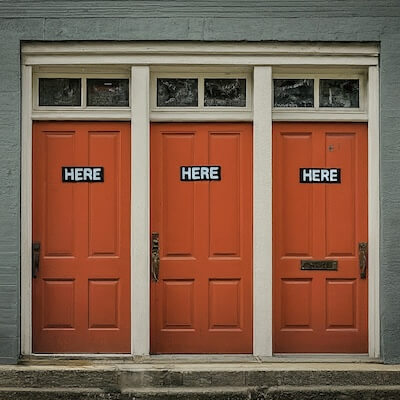
A set of three adjacent red doors, each closed and labeled "HERE"
  • Context and understanding: Descriptive link text adds context to the link, helping all users, including those with cognitive disabilities, to better understand the purpose of the link and where it leads. This is essential for creating a user-friendly experience.
  • Keyboard navigation: Users who navigate websites using a keyboard or other input devices benefit from descriptive link text. Clear and meaningful link text enables efficient keyboard navigation, making it easier for users to move through a page and access relevant information.
  • Mobile Devices: On mobile devices, where screen real estate is limited, users may rely more on the link text to decide whether to follow a link. Descriptive link text becomes especially important in this context for providing quick and accurate information.

For instance, the text of this link reveals nothing of its purpose or destination. However, if you want to learn more about Pedal Point Solutions, the text of the second link provides clues about what sort of information you will find on the target page in the context of its surrounding content.

Create great alternative descriptions for images

Alternative descriptions, often referred to as “alt text” enable users who cannot see images understand their meaning in the context of a web page. Without alt text, blind and visually impaired users will likely miss important aspects of part or all of a page. What’s more, screen readers typically announce an image’s URL or file name when alt text is not present, which is almost always unhelpful and confusing.

Writing good alternative descriptions for images is something of an art that requires practice. I share a strategy for writing effect alt text in this article, but here are a few fundamental principles to keep in mind.

  • Good alt text is clear. It conveys an image’s content and function in a way that a person who cannot see it will understand.
  • Good alt text is concise. Screen reader users appreciate brief descriptions that quickly communicate the most important and relevant aspects of an image.
  • Good alt text is contextual. Image descriptions should take into account their surrounding context and their purpose within it. Concise alt text is rarely able to exhaustively describe all the content and meaning of an image. Instead, it supports and complements the overall message of a web page by highlighting the salient information contained in the image.

Consider the image at the start of the “Write Descriptive Link Text” section of this post. Setting its alt text to “three doors” would not provide enough context or detail. However, “three closed bright red doors in close proximity to one another, each labeled HERE and having two small window panes above it, surrounded by dull off-white framing and a nondescript gray wall” is too verbose and obscures the image’s context and purpose, which is to illustrate the problems with vague link text.

The alt text set for this image is “A set of three adjacent red doors, each closed and labeled ‘HERE'” which offers enough context to compliment its associated content without overwhelming the user with irrelevant details or spelling out the exact meaning of the image. (Blind people can appreciate metaphor just as much as sighted people.)

Tips for writing accessible copy

Having discussed ways to make a few key elements within copy accessible, let’s wrap up this post with some guidelines to ensure that the content itself can be read and understood by as many people as possible.

  • Be clear and concise. Keep your language simple, clear, and succinct. Avoid unnecessary jargon, idioms, and complex terminology that might be difficult for some readers to understand.
  • Organize content for quick and easy reading. Break up “walls of text” into shorter paragraphs, bulleted or numbered lists, or subsections. Use headings to clearly delineate and organize content.
  • Write out each acronym the first time it is used. Readers may not know the meaning of an acronym. It is important to write out the words in an acronym when it appears on a web page. This should be followed by the acronym in parentheses. For example, “Americans with Disabilities Act (ADA).”
  • Do not write in all caps. TEXT IN ALL CAPS IS VERY HARD TO READ. Avoid it except for acronyms.
  • Use sentence case for web page titles and headings. We are used to reading sentences, and it Actually Takes Longer and More Effort to Read Title Case. Title case is prone to error Because authors Are prone To capitalize The wrong words. It also obscures proper nouns and does not translate well, as other languages have different rules for capitalization. Additionally, sentence case communicates friendliness and avoids the Authoritative Tone of Title Case.
  • Use inclusive language. Make sure your word and phrase choices do not exclude readers with various disabilities. For instance, encountering the instruction “Click the big yellow button at the top right of the page to subscribe.” will probably frustrate a blind visitor who cannot see the color, size, or relative position of the button. A more inclusive wording might be “Press the ‘Subscribe’ button near the beginning of the page.” This version eschews vision-centered language in favor of focusing on the content itself.

Personally, I try to avoid the word “click” as it can convey an assumption that the user is browsing with a mouse. Instead, I prefer the terms “follow” for links and “press” for buttons.

Thanks to Laurie Cameron-Back for her informative presentation Neuroinclusive Content Design at axe-con 2024, which directly inspired some of these recommendations.

Conclusion

Integrating these basic practices into your content creation process will help you write more accessible web copy. I encourage you to begin using these techniques the next time you create content for your website. It will not take long before they become natural for you, and your users will thank you for it.

Share This

Do I see too well to be blind?

As a visually-impaired child learning to play piano, it was difficult for me to sight read sheet music. I had to lean forward over the keys to get close enough to see the notes, rests, and symbols on the staff. This was not a tenable solution, so I focused instead on memorizing music and learning to improvise and play by ear.

When I got to college, I took several music theory classes, which turned out to be some of the most enjoyable and illuminating experiences of my young adult life. Sure, I had learned about grace notes, fermatas, chords, and other introductory material during my childhood piano lessons, but encountering things like secondary dominants, suspensions, and Neapolitan sixths was liberating and life-giving. I had figured out many of these concepts through experimentation growing up, and my theory courses gave me names for them. It was like learning the words to a language I already understood but didn’t know how to express.

Listening to Andrew Leland’s book, The Country of the Blind: A Memoir at the End of Sight was a similar “eureka” experience for me. Leland’s account of his ongoing journey of learning to be blind due to Retinitis Pigmentosa (RP) is informative and inspiring. His prose is vibrant, clever, and laugh-out-loud funny, and his witty interweaving of personal anecdotes, commentary, and conversations with experts and ordinary people is compelling. Leland relentlessly explores the influence of blindness on his relationships with family, faith, sexuality, art, communication, and technology, just to name a few. Along the way, he shares deep insights into disability history, advocacy, and intersectionality.

Having spent many years downplaying, dodging, and denying my own blindness, The Country of the Blind resonates with me keenly. This book is a dictionary and kaleidoscope to me as I work to forge and rediscover how my low vision fits into my identity. I expect to ponder its lessons and themes for a while, and this will likely lead to multiple articles in this space. In this post, I want to share briefly about one such takeaway that I have been reflecting upon.

Blindness is a rich spectrum and not a binary state

“There are as many ways of being blind as there are of being tall,” quips Leland in the opening chapter. Only 15% of people with eye disorders are totally blind with no light perception; blindness is a wide range and not a fixed point. Even though the state of Massachusetts has certified me and thousands of others as “legally blind,” that means something different for each of us.

Leland speaks at length about the drawn out process of losing his vision to RP. This is marked by instances when he notices changes in his visual perception, though he cannot identify the specific points in time when these occur. I can relate. The other day, my wife told me that she has noticed a gradual decrease in my vision over the past years, and I think I agree. I don’t have days when I perceive a change in visual acuity, but the number of times I need to increase the font size on my monitor to distinguish between a capital letter “B” and the number “8” seems to be going up. My family comments more frequently about that smear of peanut butter on the counter which I’m sure I just wiped down.

“Becoming blind” — a phrase one of Leland’s friends prefers to “going blind” since blindness is more of an arrival than a departure — can be confusing. In this in-betweenness, I often feel too sighted to be blind, but too blind to function fully and freely in a sighted world. Leland unpacks this tension in the following TED Talk.

Blindness is ambiguous. Its resistance to being quantified has often frustrated me. Yet I feel a solidarity with Andrew Leland’s story, and this awakens a hope within me that I am not alone in my experience. If there are others wrestling with this ambiguity, then perhaps it can become less daunting and impenetrable. Perhaps there are people who share my situation and also need this solidarity. If you are one of those people, I would like to meet you. Let’s get in touch.

Articles in this series

A waveform of the visible light spectrum from violet to red atop a black background Do I see too well to be blind? I often feel too sighted to be blind, but too blind to function fully and freely in a sighted world. Andrew Leland helps me articulate and make sense of this in his book "The Country of the Blind."
Two sets of hands pulling in opposite directions on a taut rope as if playing tug-of-war Skiing with my eyes closed: Is blindness intrinsic or irrelevant to who I am? I wrestle with the paradoxes inherent in blindness and their impact on my identity. How can I hold the ambiguity and opposing forces related to my vision in tension with each other?
An array of lit lightbulbs arranged in three rows with the bulb in the center shining brightest Blind inventions shape your world. You’re using them right now. Blind people and their advocates are incredibly resourceful, and their creations have profound impact on the entire world. In fact, you are likely using several technologies developed with and for blind people right now.

Share This

3 common skip link problems and how to fix them

Skip links enable keyboard and screen reader users to circumvent or proceed directly to sections of content on a web page. The most common use of a skip link is to bypass a site’s header navigation, which typically appears at the beginning of every page, and immediately advance focus to the page’s main content. Since the justification for skip links and their implementation is thoroughly documented, the purpose of this article is to describe and address some common errors with skip links. According to the 2023 WebAIM Million Report, only 17% of  homepages on the top one million websites have skip links. Of the ones that do, one in six of their skip links are broken or inaccessible. So it seems there’s some work to do.

The target element is missing

A skip link typically takes the form of an anchor tag with a target on the same page, like this.

<a href="main-content'>Skip to Main Content</a>

The target is often designated as the main element on the page. It should have an id attribute set to the value of the skip link’s href.

<main id="main-content">
...
</main>

Update: Targeting the <main> element is not ideal as it can cause mouse clicks to scroll unexpectedly to the top of the page. A better solution is to add a named anchor tag as the first element within the <main> tag and designate that as the target.

<main>
  <a name="main-content"></a>
  ...
</main>

If there is no element with this id on the page, the skip link does not work. This may seem obvious, but I have seen it occur on multiple sites for various reasons.

  • The website has multiple page templates, one or more of which have an outermost tag surrounding the page’s main content with a missing id attribute. This can occur when legacy or less frequently used templates are overlooked, or when a template contains conditional logic that obscures how and where the top-level tag is rendered.
  • There are multiple widgets that may render the first element of the main content of different pages on a website. Again, this is usually due to code being missed when the skip link is added.

The best ways to ensure skip link targets are present on every page are to minimize and diligently track the locations where they are rendered.

  • Render the top-level content tag in a single location so the skip link target designation only needs to happen once. Many web frameworks and themes use this approach to organize their code and avoid repeated logic.
  • Document each location in the code base that can render a skip link target, both with comments in the source code and in an external list.

The skip link is not in the tab order

By default, anchor tags are interactive and receive focus as a keyboard user tabs through the webpage. However, adding a tabindex attribute with a value of -1 will remove a normally interactive element from the tab order. I have encountered skip links coded like this.

<a href="#main-content" tabindex="-1">Skip to Main Content</a>

Whether this was done by accident or some misguided attempted to prevent the skip link from visually appearing on the page, it makes the skip link inaccessible to keyboard users. The tabindex="-1" attribute removes the skip link from the tab order so it cannot be reached with the Tab key. Although screen readers can still get to the skip link via their special navigation commands, this is inadequate as screen reader users typically also take advantage of standard keyboard commands like Tab and Shift+Tab built into browsers.

The fix? Leave the skip link anchor tag alone and don’t try to cleverly over-engineer it with a tabindex or other HTML, CSS, or JavaScript tricks. Just ensure it’s the first focusable element on the page.

The target element is not focusable

Update: If the skip link targets a named anchor tag for its target, this element is focusable by default, which avoids this problem altogether.

<main>
  <a name="main-content" tabindex="-1"></a>
  ...
</main>

The tabindex="-1" attribute removes the named anchor from the tab order to prevent keyboard users from encountering an empty link, which could cause confusion. It also facilitates correct behavior for users who follow the skip link by pressing Enter or Space, and then use screen reader navigation controls to move to elements adjacent to the target.

If it is absolutely infeasible to use a named anchor target, you can try the solution outlined below, but it suffers from inconsistencies between screen readers.


A skip link’s target element needs to be focusable. However, the <main> tag and most other elements assigned its role (via a role="main" attribute) are normally excluded from the tab order and cannot receive focus by default. It is therefore a good idea to add a tabindex="-1" to the target element. The -1 value makes it possible for the element to receive keyboard focus without putting it into the tab order.

<main id="main-content" tabindex="-1">
...
</main>

When the tabindex="-1" attribute is omitted from the target, it leads to inconsistent behavior. While browsers may still transfer keyboard focus to the target when the skip link is followed, screen reader focus does not move to an unfocusable element. This means that after jumping to the target, pressing Tab or Shift+Tab may move keyboard focus to the next or previous interactive tag, respectively. However, using screen reader commands such as VoiceOver’s Command+Option+Left/Right Arrow to move focus to the previous or next element will not work as expected. Instead, these commands transfer focus to the elements adjacent to the skip link. This can be disorienting to screen reader users, as it’s almost certainly not the anticipated behavior.

Adding a tabindex="-1" attribute to the target element ensures it will receive both keyboard and screen reader focus. When the skip link is followed, subsequent keyboard and screen reader navigation commands will move focus in relation to the target.

Unfortunately, using the screen reader command to move focus from the target to the next element yields inconsistent results across different screen readers. This might be due to bugs or different implementation choices by screen reader vendors. In my testing, I observed the following behavior when using a screen reader command to access the next element after pressing Enter or Space to follow the skip link to its target.

Screen Reader Web Browser Operating System Behavior After Target Focus
JAWS Chrome Windows First element after target skipped
JAWS Edge Windows First element after target skipped
NVDA Chrome Windows Target element announced
NVDA Edge Windows Target element announced
VoiceOver Chrome mac OS Target element focused, element name announced, but content not announced
VoiceOver Safari mac OS Target element focused, element name announced, but content not announced

Despite this variable behavior between screen readers, the effect of the tabindex="-1" attribute seems preferable to what happens when it is not present. Better to move within the main content than unexpectedly revert to the skip link’s location. Further, the tabindex="-1" attribute makes it explicit and clear in the code that the target can receive focus.

The ARIA-AT Project — where “ARIA-AT” stands for “Accessible Rich Internet Applications [for] Assistive Technologies” — is working to “empower equal inclusion by realizing interoperability for AT users.” Hopefully, their efforts to standardize user experience across screen readers will eliminate inconsistencies like this one.

Conclusion

Skip links are essential components for any accessible website with header navigation, and their implementation should be intentional and thoughtful. A skip link needs to be in the tab order, and its target element must be present and focusable on every page.

I want to thank the following individuals for their assistance in correcting and enhancing information in this post.

  • John Jameson for explaining how named anchors are a better choice for skip link targets than elements with the main role.
  • Diane Ko for pointing out an error with how tabindex=”0″ works. (I have corrected this mistake, so the 0 value is no longer present.)
  • Adrian Roselli for guidance on Slack etiquette when sharing and seeking feedback on articles, as well as giving credit to those who provide feedback that results in corrections and improvements to said articles.

Have you encountered other issues with skip links? What techniques do you use to make certain that skip links are accurate and work prope

Share This