
I recently had the opportunity to present as part of the IAAP Professional Webinar Series with a session on AI for accessibility professionals. (Check out the slides.) One point in particular sparked some thoughtful conversation, so I want to spend a little more time with it here.
AI coding tools can turn a prompt into a polished interface with unnerving speed. That’s exciting and useful. It’s also risky. A working prototype can look like a finished product, but accessibility is often where the floorboards start to creak.
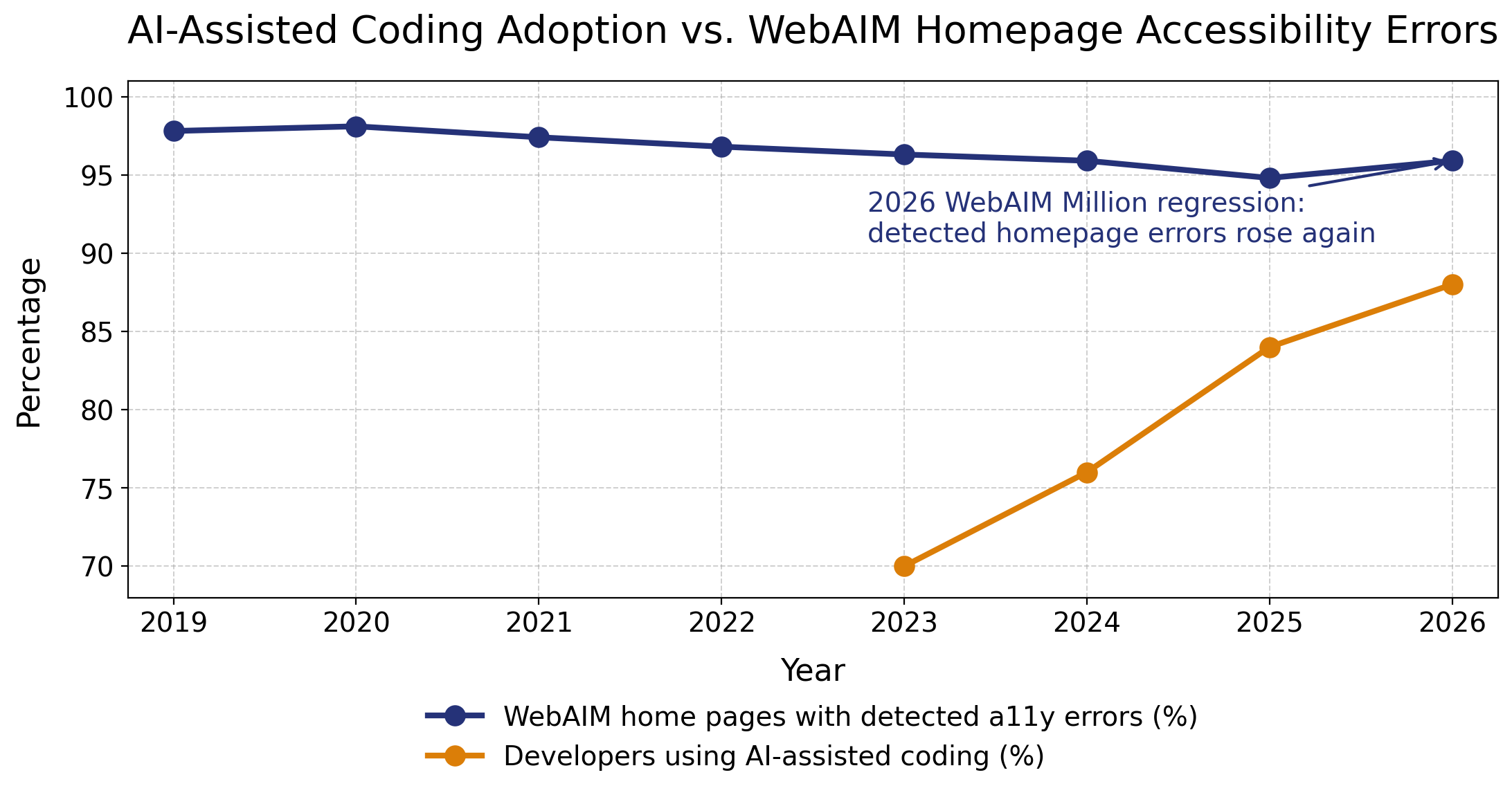
The chart above puts two trends beside each other: WebAIM’s percentage of home pages with detectable accessibility errors and Stack Overflow’s AI-assisted coding data. Correlation is not causation, and there aren’t enough data points on the graph to draw conclusions. But it is a useful warning. Stack Overflow’s 2025 Developer Survey found that 84% of respondents were using or planning to use AI tools, up from 76% in 2024, with 51% of professional developers using them daily. . On that trajectory, AI-assisted coding appears on track to reach roughly 85% to 90% in 2026. Meanwhile, WebAIM’s 2026 Million report found that 95.9% of home pages had detectable WCAG failures, up from 94.8% in 2025.
AI inherits the web we already built
The problem starts with training data. AI coding tools learn from the internet, repositories, tutorials, snippets, design systems, and production code. Much of that material is inaccessible. Bad patterns are not edge cases in the training set. They are the training set–copied, pasted, shipped, forgotten, and then copied again.
Anna E. Cook makes this point beautifully her recent post AI Doesn’t Fix Accessible Systems. It Depends on Them. AI does not repair broken structure by magic. It depends on the structure it receives. Accessible systems are more structured, parseable, and interpretable by both people and machines. When source material lacks semantic HTML and inclusive design decisions, AI is more likely to reproduce structural debt than pay it down.
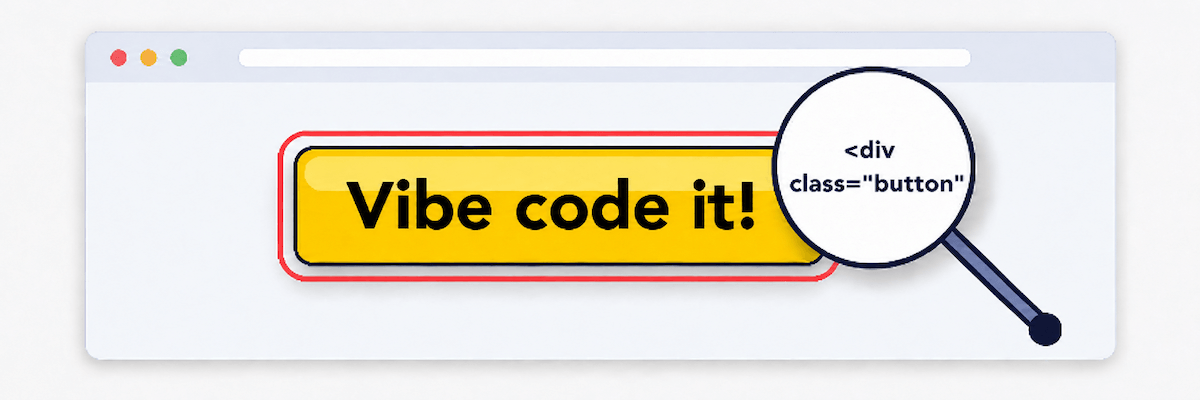
That’s why “vibe coding” should make accessibility professionals a bit nervous. AI may generate a nice-looking modal, carousel, or dashboard, but visual plausibility is not semantic accuracy. The code may use clickable divs instead of buttons, skip headings, hide focus indicators, omit labels, ignore reduced motion, or update content without notifying assistive technology. It may look done while quietly leaving many users with no reliable way through.
Automated scores are not lived experience
Hampus Sethfors’ Axess Lab review of a Lovable-generated conference site shows the gap between automated confidence and actual use. The site looked impressive and reportedly received a perfect accessibility score in Lovable’s built-in Axe-powered check. But when a screen reader user tested it on an iPhone, serious barriers appeared.
Focus moved behind open menus and ticket modals. A live region repeatedly interrupted the screen reader. Single-page-app navigation failed to place focus predictably. The menu button did not communicate expanded or collapsed state. Headings skipped levels. A visible “Get tickets” button had the accessible name “Register for tickets,” creating a mismatch that can break voice control.
Automated tools are essential, but they catch only part of the picture. They do not fully judge whether focus management makes sense, labels match visible text, or disabled users can complete real tasks. A clean automated score is helpful. It is not a permission slip to just trust AI-generated code and stop testing.
Songclock shows the promise and the labor
Last year, I wrote Songclock, an accessible audio clock built with Vercel’s v0, as an experiment in AI-assisted development. The app translates time into musical tones and evolved into an ear-training tool with intervals, dynamic scores, sound controls, and screen reader support.
I was excited by what AI made possible. and I still am. What might have taken weeks became about 15 hours of concentrated work. But the accessibility did not simply appear because I included “accessible” in the prompt and hoped the machine would take it from there. It took more than 20 prompts to improve keyboard usage, contrast, screen reader behavior, focus management, and communication of musical patterns.
That process included prompts for keyboard-accessible sliders and toggles, visible focus states, ARIA labels, Escape-key support, focus restoration, semantic headings, and live region announcements. AI accelerated the work, but accessibility emerged through explicit direction, testing, and revision. The tool generated code. Accessibility expertise made the end result usable.
That experience also lines up with Alexandra Elena Gurita and Radu-Daniel Vatavu’s recent Web for All paper, _When LLM-Generated Code Perpetuates User Interface Accessibility Barriers: How Can We Break the Cycle?. They found that accessibility-oriented prompts can improve generated interfaces, but persistent barriers remain, especially around semantic structure. In other words, prompting helps. It just does not replace knowing what good accessibility looks like.
Better AI needs better accessibility data
But there is also promising work happening. Eric Bailey’s GitHub article on building a general-purpose accessibility agent describes an experiment designed to give engineers just-in-time guidance and catch objective accessibility issues in pull requests. GitHub reported that the agent reviewed 3,535 pull requests and achieved a 68% resolution rate.
The key detail is the foundation. GitHub’s experiment relied on mature issue logging, consistent verification, and a structured body of accessibility knowledge. The agent improved because it was grounded in better accessibility data than whatever code happens to be on the open web. Current LLMs are trained on decades of inaccessible code, so better accessibility-specific source material is essential.
This is a hopeful path forward, but it is not a shortcut around accessibility practice. One of the more telling details from Bailey’s article is that GitHub had to create “anti-gaming” instructions so the LLM would not find sneaky ways around its own guardrails, especially when it had been told not to generate code for issues requiring human expertise. That little wrinkle says a lot. Even promising accessibility agents need careful constraints, high-quality data, and human oversight. Better tools can help developers catch more issues earlier, but they will not replace accessible design systems, manual testing, disabled user feedback, or people who understand how interaction patterns actually work.
Conclusion
AI-assisted coding is not going away, and I don’t think it should. It can help us move faster, explore ideas, and reduce some of the repetitive work that drains time from better judgment. But when it comes to accessibility, speed needs a steering wheel, brakes, and someone who knows where the potholes are.
In short:
-
Right now, AI-assisted code is inaccessible by default. Treat it as a draft, not a deliverable. If the model learned from an inaccessible web, its output should be assumed suspect until reviewed.
-
Accessibility needs to be explicit in your prompts. Ask for semantic HTML, keyboard support, visible focus, accessible names, headings, labels, focus management, live region behavior, reduced-motion support, color contrast, and usable error handling. Then test before moving on. In my experience, the best results come from an iterative rhythm: prompt for specific improvements, test the result, identify what still fails or feels awkward, and prompt again. Build, test, refine, repeat.
-
Accessibility design and development skills matter more than ever. AI raises the floor for speed, but not for judgment. The more code AI generates, the more we need people who know how inclusive interfaces work and how to turn fast drafts into usable products.
What have you seen in your own AI-assisted coding work, is accessibility showing up right away, or only after you ask for it?